Item Templates
If your business regularly orders certain items as a matter of routine you can speed up your ordering process by saving these commonly ordered items as a an item template.
Item templates are a way of adding a large number of items to your basket with a single click.
Item templates are a way of adding a large number of items to your basket with a single click.
HOW DOES IT WORK?
Say you regularly ordered the dozen most popular Ernie Ball slinky string sets. To save time you could create an item template for these dozen items. Then, instead of hunting for these items each time you visit the site, you can add all of them to your basket in one click.
Saved item templates are available on the My Item Templates page of the My Account area.
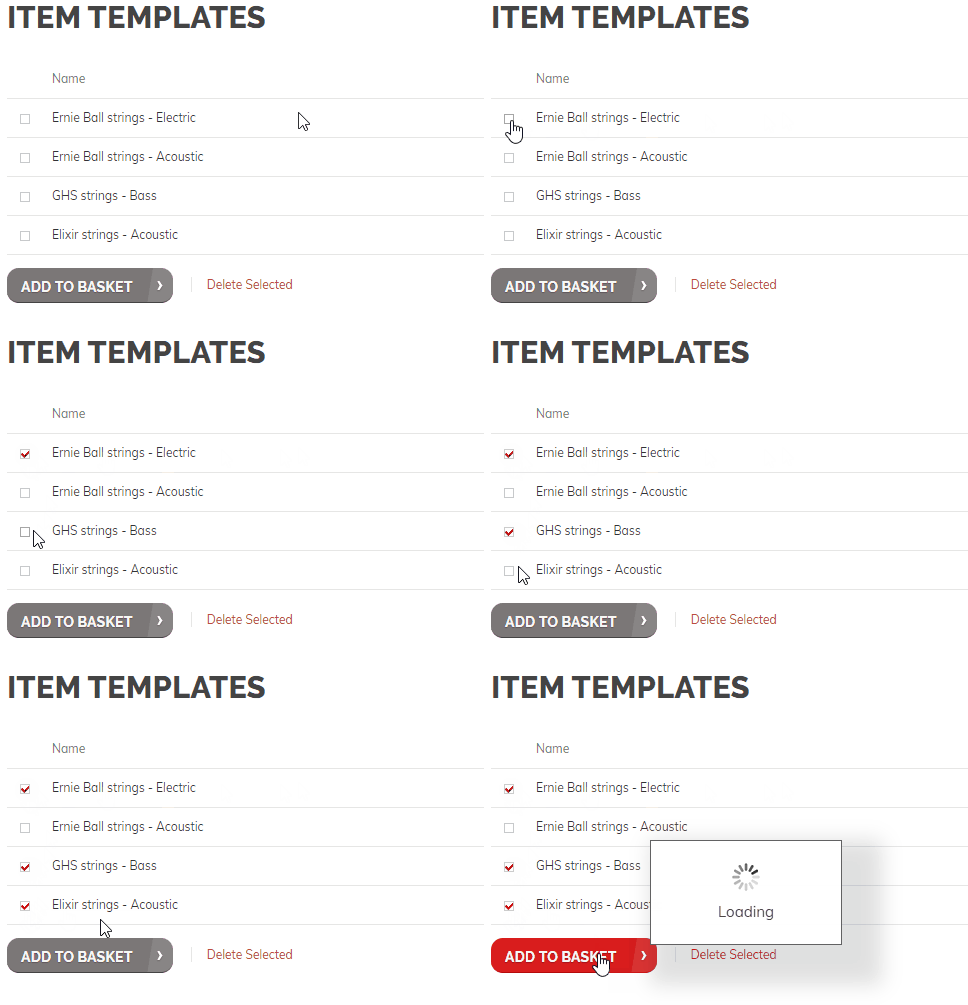
If you've saved several item templates you have the ability to select more than one template from the list - adding items from all of the selected item templates to your basket in one go.
For example, you might have one template for Ernie Ball strings, one for Elixir strings and another for GHS strings.
Any template selections you make will be added to your basket along with the quantities you specified when you created the item template. Consider saving your item templates with a quantity of one if you'd like to customise the quantities once they're in your basket.
SAVE AN ITEM TEMPLATE
It's as easy as filling you basket with the items you'd like to save. Once you're happy with your selection click the Save As Template link. Enter a meaningful name for your new item template and click Save. The process is demonstrated below:

LOAD AN ITEM TEMPLATE
To fill your basket using saved item templates visit the My Item Templates page in the My Account area.
From the available list simply tick the boxes besides the items you'd like to order and click the Add To Basket button. That's it.
You can adjust final quantities straight from the basket page itself, or add additional items from around the site, prior to checking out.